

Hey everyone, if you’ve ever walked into a mall, hospital, or busy airport and noticed a self-service machine that lets you check in, grab tickets, or pay for things—chances are that’s what we’re talking about today: a Floor Standing Touch Screen Kiosk. I’ve been selling these bad boys for years, and one question I get way more than any other is, “Can these things even work with my existing systems?” Let’s cut through the jargon and get real about integration—because that’s the whole point of these kiosks, right? They’re not just standalone tablets on a pole.

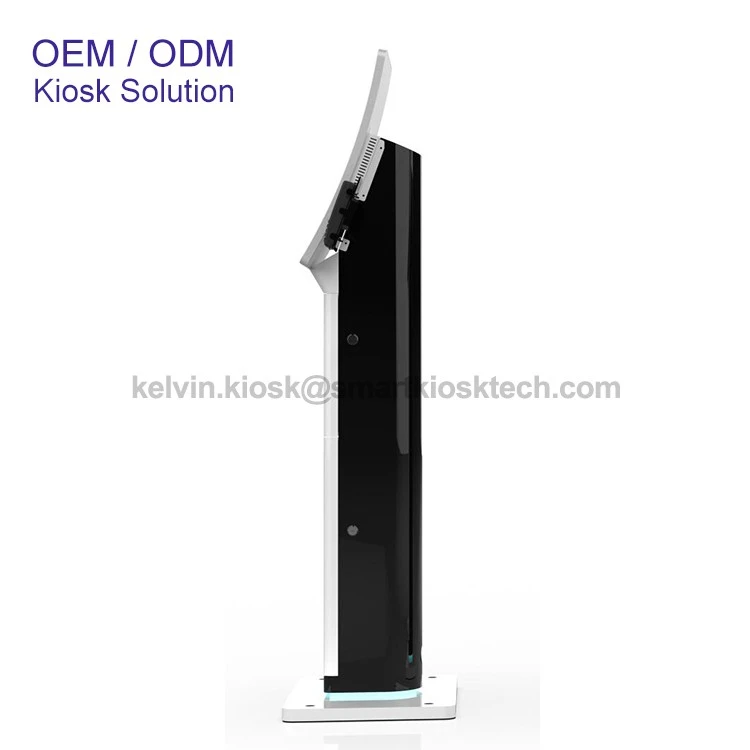
First off, let’s start with why integration matters. If you’re a café with a POS system, or a clinic with a patient check-in database, or a retail store with an inventory tracker, buying a fancy new kiosk that doesn’t talk to what you already have is a waste of cash. You’d have two separate processes, double data entry, and way more headaches than it’s worth. That’s where our Floor Standing Touch Screen Kiosk line comes in—we built these to play nice with other tools, not just sit there doing their own thing.
Let’s break down the most common integrations our clients ask for, because this is where the rubber meets the road. First up: payment systems. Everyone needs to take money these days, and a kiosk that can’t process cards or mobile payments is just a big touchscreen. That’s why we make models like the 23.6 Inch Curved Screen With POS Card Reader—it slots right into existing POS software, so when a customer pays for a movie ticket or a fast-food order, the transaction updates your ledger instantly, no manual work needed. I had a client who ran a chain of movie theaters a few months back—they were using old, clunky POS stations at every window, and lines were wrapping around the lobby. Swapping half their windows for our curved POS kiosks meant transactions synced straight to their back-end software, and they cut wait times by 40% in a month. That’s the kind of win integration brings.
Next, queue management systems. Hospitals, banks, and government offices live and die by how well they handle lines. Our 23.6 Inch Floor Standing Curved Screen Queue Kiosk is a perfect example here. It doesn’t just spit out a number ticket—it syncs directly to your existing queue software. So if a patient checks in, their appointment pops up on the kiosk, they scan their ID, and it logs them into your waitlist without anyone typing a single thing. I remember a small clinic in Ohio that was using a paper queue system before—nurses were spending 2 hours a day updating the waitlist, and patients were often confused about when their turn was. Adding our queue kiosk integrated with their EHR (electronic health record) system cut that admin time down to 15 minutes a day, and patient satisfaction scores went up 25% in their next survey. That’s not just tech—it’s making people’s actual days easier.
Then there’s check-in systems, which is huge for hotels, airports, and event venues. Our 21.5 inch Free Standing Check In Kiosk is built for this exact use case. It integrates with hotel property management systems (PMS), airline reservation tools, or even event ticketing software. When a guest arrives, they scan their confirmation email or ID, the kiosk pulls their reservation details from your existing system, prints a key or boarding pass, and sends an update back to your front desk so they’re ready to go. A boutique hotel in Austin we worked with was using a mix of online check-in and front desk staff before—weekends meant 30-minute waits for guests, and staff were burnt out. After adding our check-in kiosk synced to their PMS, they were able to handle 60% more weekend check-ins with the same number of staff, and guests loved not having to wait in line. That’s the kind of ROI you can actually see on your next budget report.
Wait, but how does this integration actually work, technically? I know a lot of business owners get nervous here—they think it’s going to require a team of IT guys and a bunch of custom coding. Let me set your mind at ease. Most of our kiosks use standard APIs (application programming interfaces) that let them talk to common software like QuickBooks, Square, Oracle, Salesforce, and all the big players. We also have our own team that handles the setup—we don’t just drop off a machine and say “good luck.” We’ll work with your IT team (or even just you, if you don’t have a big tech staff) to make sure the sync works. For custom systems, we can do a bit of tweaking too—nothing too crazy, just enough to get the kiosk and your software on the same page. I’ve had small business clients who aren’t tech-savvy at all, and we walked them through the setup step by step over a Zoom call, and they had it running in an afternoon. No rocket science here.
What about other, less common integrations? Like inventory tracking for retail, or employee time clocks for workplaces, or even wayfinding for malls? The short answer is: yeah, we can do that. For retail, our kiosks can pull real-time inventory data from your POS, so customers can check if a product is in stock at a specific location before they even head to the store. We had a sporting goods store in Florida that used this—they were losing sales because people would drive 30 minutes only to find a tent they wanted was out of stock. Adding our kiosk synced to their inventory let customers check stock from their phones (wait, we also integrate with mobile apps!) or from the in-store kiosk, and their online and in-store sales went up 18% in three months. For wayfinding, mall clients use our kiosks to pull store maps from their existing directory software, so if someone’s looking for a shoe store, the kiosk can show them the exact path without manually updating maps every time a new store opens.
But hold on—isn’t there a catch? Like, do some systems just not play nice? Sure, every now and then you run into a super old, outdated system that’s been around since the 90s. But even then, we have workarounds. Sometimes it’s as simple as a middleware tool that translates data between your old system and our kiosk. Other times, we can adjust the kiosk’s settings to import/export data in the format your system uses. I’ve only had one client in 5 years where we couldn’t make it work, and that was because they had a proprietary system that no other tool in the industry talked to. Even then, we ended up building a small custom module that fixed the problem for them. It’s rare, but it’s doable.
Another thing to consider: security. When you’re integrating systems, you’re sharing data—customer names, payment info, health records, that kind of thing. You don’t want that getting out, right? All our kiosks are built with end-to-end encryption, and they comply with major security standards like PCI DSS for payments and HIPAA for health data. When we set up integrations, we make sure the data transfer is secure—no open gaps that hackers can sneak through. We had a hospital client a while back that was worried about patient data, so we did a full security audit of the integration before we even turned it on, and they signed off because it met all their requirements. That’s non-negotiable for us.
Let’s talk about real-world results, because numbers don’t lie. I recently did a case study with a clinic chain in the Pacific Northwest. They had 10 locations, each with a check-in process that involved paperwork, phone calls, and a lot of wait time. They purchased our 21.5 inch Free Standing Check In Kiosk models for all locations, integrated with their EHR system, and here’s what happened: front desk check-in time dropped by 60%, patient no-show rates went down by 22%, and staff were able to focus on actual patient care instead of typing in data all day. That’s the power of integration—turning a bunch of separate, inefficient tools into a system that works for everyone.
I know what some of you are thinking: “This sounds great, but what if I need to update something later? Can I add integrations down the line?” Absolutely. Our kiosks are built to be scalable. If you start with a check-in kiosk, and then a year later you want to add payment processing, we can do that. If you want to sync it with a new inventory system when you expand your store, no problem. We don’t sell you a one-and-done machine—we sell a tool that can grow with your business. A restaurant client of ours started with just a menu kiosk, then added payment processing, then synced it with their delivery app, and now it’s a key part of their operations. We’ve been supporting them for 3 years, and it’s still working like a charm.
So to circle back to the original question: Can a Floor Standing Touch Screen Kiosk be integrated with other systems? The answer is a resounding yes—if you pick the right kiosk and work with a provider that knows what they’re doing. The worst thing you can do is buy a random kiosk online that’s only made to work by itself. Our line of floor-standing kiosks is built from the ground up to integrate with all the tools businesses already use, and our team is here to make the process as smooth as possible.
If you’re tired of dealing with outdated, siloed systems that waste your time and money, let’s talk. We can go over your specific needs, show you how our kiosks integrate with your current software, and even set up a demo so you can see it in action. No pushy sales stuff, no confusing jargon—just real answers for real business problems. Reach out to us to start planning your kiosk integration today.
References:
- Global Kiosk Market Report 2024, Industry Research Group
- POS Integration Best Practices for Self-Service Kiosks, Tech Retail Magazine, 2023
- Queue Management System Integration Case Studies, Self-Service Tech Association, 2024
- HIPAA Compliance for Healthcare Kiosks, Health IT Security Journal, 2023
- ROI Analysis of Integrated Self-Service Solutions, Small Business Tech Council, 2024


