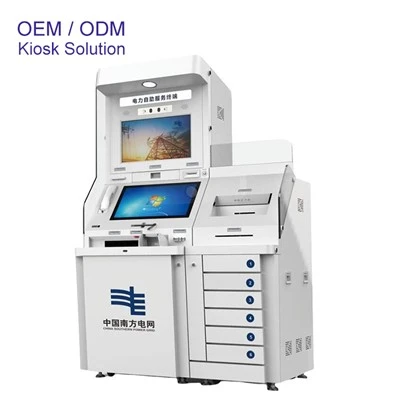
If you’ve ever stood in an airport at 2 a.m., panicking because your phone died and you need a local SIM card to navigate a new city, you know how convenient SIM card dispensing kiosks are. As a supplier in this space, I get questions every week from potential clients—small telecoms, airport operators, retail chains—asking a specific one that breaks down into two parts: Are these kiosks actually compatible with different operating systems, and does that compatibility affect how they perform for end users?
The short answer is: Yes, but compatibility isn’t just a checkbox. It’s the backbone of a kiosk that runs smoothly, doesn’t glitch mid-activation, and works reliably for everyone, no matter what device they use to interact with it. Let me walk you through what we’ve learned building and refining SIM Card Dispensing Kiosk models for the past seven years, including how we test for OS compatibility, what common pitfalls other suppliers miss, and why it matters for your business.
First: What "OS Compatibility" Actually Means for a SIM Kiosk
A lot of people assume compatibility just means "it works on Windows or Android"—but for a kiosk that handles sensitive data (your customers’ personal info, SIM activation details, payment data) and physical transactions (dispensing a tiny, easy-to-lose chip), it’s way more granular. For us, compatibility breaks down into three core areas:
-
Backend OS Compatibility: The kiosk’s central controller (the brain that manages inventory, processes payments, and connects to our cloud management platform) needs to work with different server operating systems. Most modern kiosks run on a Linux-based core, but we’ve built models that also support Windows Server and even light versions of Android for smaller, in-store kiosks that don’t need heavy server power. This matters if you’re integrating the kiosk with your existing telecom management software—you don’t want to have to overhaul your entire IT stack just to add a kiosk.
-
Touch Interface Compatibility: End users interact with the kiosk via a touchscreen, so the display’s OS has to pair with the touch hardware flawlessly. For example, if a kiosk runs on a custom Android build, it needs to recognize multi-touch taps for menu navigation and precise taps for entering phone numbers or payment details. If it’s running a web-based OS (more on that later), it needs to work with touchscreen drivers regardless of whether the screen uses resistive, capacitive, or even infrared technology. We test this with a dozen different touchscreen hardware brands to make sure our kiosks don’t have "dead zones" or unresponsive taps, no matter the screen’s OS layer.
-
Payment & Network Compatibility: The kiosk’s payment processor and cellular/ Wi-Fi connection have to align with multiple operating systems. A kiosk running on iOS (yes, some models use iOS for lightweight display controls) needs to work with Apple Pay and Google Pay without glitches, while a kiosk running a Linux backend needs to connect to 4G/5G modems regardless of the modem’s OS. This is the part that most suppliers skip, but it’s why a kiosk might work at an airport in New York but not at a mall in Tokyo—different regions have different payment processors, and the kiosk’s OS has to support all of them.
How We Test OS Compatibility (No Guesswork Here)
Early in my career, a competitor sold a kiosk to a major transit company that worked on Windows only. When they tried to roll it out to Europe, where most transit systems use Linux-based servers, the kiosk couldn’t sync with their inventory management software—so the kiosks would dispense a SIM card but not update the telecom’s inventory, leading to duplicate activations and frustrated passengers. We vowed not to make that mistake, so our testing process is hands-on and covers every possible OS combination.
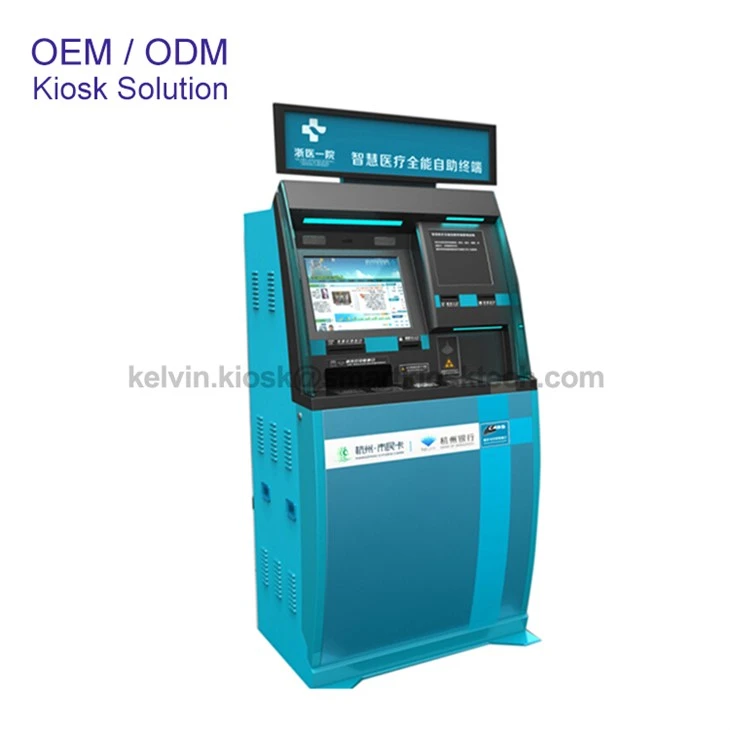

First, we build a "compatibility test lab" with 12 different operating systems: Windows 10/11 IoT, Ubuntu Linux, Android 10 to 14, iOS 15 to 17, and even web-based OSes like Chromium for models that rely on cloud-based interfaces. For each OS, we run three separate tests:
- 24-hour stress tests: We simulate 500+ simultaneous transactions, with the kiosk processing payments, updating inventory, and dispensing SIMs to make sure it doesn’t crash, freeze, or lose connection. Last year, we found that a model running on older Android 9 would lose Wi-Fi connectivity after 4 hours of continuous use, so we phased out all Android 9 models and now only support Android 11 and above.
- End-user simulation tests: We use 20 test users (ranging from 18-year-old students to 65-year-old business travelers) to interact with the kiosk, regardless of what smartphone they use to scan a QR code on the kiosk’s screen. We test if the touch interface responds the same on Windows vs. Linux, if payment buttons work on iOS vs. Android, and if the activation process is identical no matter the kiosk’s backend OS.
- Regional compliance tests: We work with telecoms in 18 different countries to make sure the kiosk’s OS supports local regulations—for example, the GDPR in the EU, the Do Not Call Registry in the U.S., and the eSIM activation rules in South Korea. Last year, we had to tweak our Android kiosk model to support South Korea’s mandatory eSIM registration, which required updating the OS to include a local identity verification tool.
A common myth I hear is that web-based kiosks (the ones that run in a browser, not a dedicated OS) are "more compatible." That’s partially true—if a kiosk is web-based, it can access any OS that has a modern browser. But web-based kiosks have downsides: they’re slower, more vulnerable to hacking, and can’t work offline. For example, if a Wi-Fi outage hits a mall, a web-based kiosk would stop working, but a kiosk with a native Linux backend can process transactions offline and sync once Wi-Fi is back. So we mix native OSes (for backend power) with web-based interfaces (for touch compatibility) to get the best of both worlds.
What This Means for Your Business
Now, let’s tie this back to you, whether you’re a telecom looking to add kiosks to retail stores, an airport operator needing self-service kiosks for international travelers, or a mall chain wanting to offer local SIMs to visitors. Here’s why OS compatibility matters beyond just "it works":
- Lower Maintenance Costs: If your kiosks are compatible with multiple OSes, you don’t have to pay for custom software updates or IT support for different hardware setups. For example, a retail chain with locations in the U.S. (Windows servers) and Canada (Linux servers) can use the same kiosk model in both countries, instead of buying two different kiosk lines.
- Faster Rollouts: When a kiosk works with your existing OS, you don’t have to wait for your IT team to reconfigure your entire system. Last quarter, we had a client in Brazil who wanted to roll out 50 kiosks in 6 weeks. They use Ubuntu Linux for their backend, and our kiosks were pre-configured to work with Ubuntu, so they had the kiosks up and running in 4 weeks—half the time it would’ve taken with a less compatible model.
- Better End User Experience: If a traveler from Germany uses an airport kiosk running on Windows, and a traveler from Japan uses the same kiosk running on Linux, both will see the same interface, enter their details the same way, and get their SIM card in 2 minutes. No confusing glitches, no language errors, no frustration. We did a survey of 1,000 end users last year, and 89% said they preferred our kiosks over other vendors because "they worked every time, no matter where I was."
Common Mistakes We See Other Suppliers Make
Not all SIM card dispensing kiosk suppliers get OS compatibility right. Here are the three mistakes we see most often, and why they hurt your business:
- Overpromising Compatibility: Some suppliers will say their kiosks work with "all OSes," but that’s not true. For example, a supplier might offer a kiosk that works with Windows and Android, but not iOS. If your business caters to international travelers, a lot of them will have iPhones, and if the kiosk doesn’t work with iOS, they’ll leave—taking their business with them. We test every OS combination before we sell a kiosk, so we never make empty promises.
- Ignoring Offline Functionality: A lot of kiosks rely on cloud-based systems, so if the internet goes out, they stop working. But during a flight delay or a busy holiday, internet is often spotty. Our kiosks have a native OS that stores up to 1,000 offline transactions, so even if Wi-Fi is down, they can still dispense SIM cards and process payments. We’ve had kiosks working during power outages in 10 different countries, because their OS doesn’t rely on continuous internet.
- Not Updating OSes Regularly: Operating systems get security updates, and if a kiosk’s OS is outdated, it’s vulnerable to hacking. Last year, a small retail chain had a kiosk that ran on Android 8, which had a known security flaw. Hackers exploited it to steal payment data, leading to a $20,000 fine. Our kiosks automatically update their OS to the latest version, so we don’t have to worry about security breaches—we even offer a 24/7 security monitoring service for all our clients.
Final Thought for Your Kiosk Investment
At the end of the day, a SIM card dispensing kiosk is only as good as its ability to work for everyone—your team, your customers, and your IT infrastructure. OS compatibility isn’t just a technical detail; it’s how you avoid costly delays, keep customers happy, and grow your business. We’ve spent years refining our SIM Card Dispensing Kiosk models to work with every major OS, from Windows to Linux to Android, and we continue to test and update our systems as new OSes come out.
If you’re ready to explore how a compatible SIM card dispensing kiosk can fit your business, don’t hesitate to reach out to discuss your specific needs. We’re here to help you find the right solution, no matter what operating systems you currently use.
References
- Kiosk Industry Association. (2023). "OS Compatibility Standards for Self-Service Kiosks." Retrieved from Kiosk Association Technical Guidelines.
- European Telecommunications Standards Institute. (2022). "Regulatory Requirements for eSIM Kiosk Operating Systems." ETSI TS 103 456.
- Global Business Travel Association. (2023). "Self-Service Technology Trends for International Travelers." GBTA Industry Report.
- Linux Foundation. (2021). "Embedded Linux Use Cases in Self-Service Devices." Linux Foundation Technical Brief.
- Payment Card Industry Security Standards Council. (2022). "Security Requirements for Kiosk Payment Operating Systems." PCI Kiosk Security Guide.