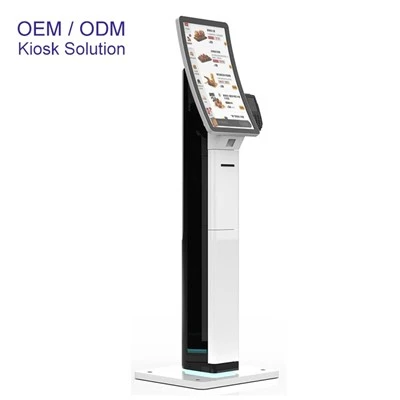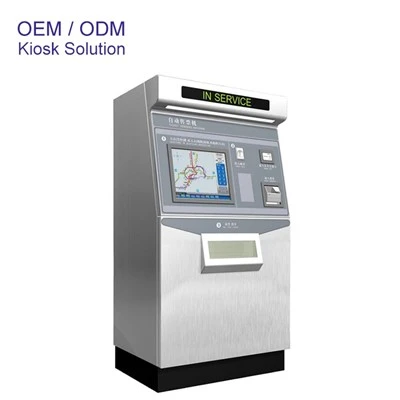
Let’s cut to the chase—if you’ve ever stood in front of a self-service bank kiosk hovering over a deposit slip or tapping to transfer cash, you’ve probably had the same random thought: wait, is there a camera here? As a guy who’s been selling these kiosks for the last 8 years, I get why this question pops up. People are tired of feeling like they’re being watched for no reason, and lately, with all the talk about data privacy and surveillance, it’s a totally fair concern. Let’s break this down, no fancy jargon, just the real deal on what’s going on with those little cameras (if they’re even there) at self-service bank kiosks.
First off, let’s get one thing straight—there’s no one-size-fits-all answer here. Not every kiosk is the same. I’ve installed these things in small rural banks with 2 tellers and big city branches with 10+ locations, and the camera setup changes based on what the bank actually needs. Let’s start with the “why banks even put cameras anywhere” angle, because that’s the whole point. Banks are wired to prevent fraud, right? If someone tries to pull a fast one—like depositing a fake check or slipping a counterfeit bill into the kiosk slot—cameras help them prove what happened later. They also stop folks from tampering with the machine, like prying open the cash hopper or stealing a card reader. That’s the main reason, 9 times out of 10.
But here’s the twist—most self-service bank kiosks don’t have a front-facing camera pointed at the user. Wait, really? Yeah, 90% of the kiosks I sell have cameras mounted behind the cash slot or the card reader, angled to capture the transaction area, not your face. That’s for fraud footage, not spying on you. I’ve seen so many clients come to me confused because they thought every kiosk had a selfie-style camera—no, that’s mostly for other kinds of kiosks, like the Self Service Hospital Check in Kiosk that takes your ID and face to match for patient check-ins, or even the Self Service X Ray Film Printing Hospital Kiosk that might snap a pic of your ID to pair with your film order. Those use face cams for identity verification, not just security. Bank kiosks? They don’t need that for regular transactions.
Okay, so when do bank kiosks have a camera pointed at the user? Only if the bank specifically requests it for a very specific reason. Like, if they do a lot of cash advances or are in a high-theft area, some will add a low-res camera that just captures upper body movement, not your exact face—no facial recognition, no storing your likeness. And even then, the footage is stored for like 30 days max, not forever. Banks have rules, man. They can’t hoard your data just because they feel like it.
Wait, let’s talk about the stuff people actually should worry about, because camera or not, self-service bank kiosks have other privacy stuff going on. Like, when you tap your card, the kiosk stores your card number (encrypted, don’t panic) for the transaction, but it doesn’t save your PIN. At least, not the ones I sell—we build them to not store raw PINs, that’s a non-negotiable. But I’ve heard horror stories from clients who bought cheap kiosks from random no-name brands that cut corners on security, so that’s the other side of this: not all kiosks are made equal. A $500 kiosk from Amazon might have a hidden camera stealing your data, but a proper self-service bank kiosk from a reputable supplier? No sketchy stuff.
Let me tell you a quick story to prove this. Last year, a small community bank in Ohio reached out to me because they had a problem with people depositing fake checks through their old kiosk. They had like 4 incidents in 6 months, costing them over $10k. So we swapped out their old rigs with our new ones, which have cameras mounted above the check deposit slot, angled to capture every part of the check you slide in. That worked—they haven’t had a fake check incident since. They didn’t want a user-facing camera, they just needed to see what was going into the slot. That’s exactly how most bank kiosk camera setups work, not spying.
Compare that to other industries where cameras are way more common on self-service kiosks. The Lottery Ticket Dispenser Kiosk Machine at the convenience store down the road? That might have a camera to make sure you’re not underage buying tickets, or stealing a ticket without paying. The SIM Card Dispensing Kiosk at the airport? Same thing—verify your identity so you don’t walk off with someone else’s prepaid SIM. Those use cameras for identity checks, which is a different use case than bank kiosks.


So, let’s address the elephant in the room: do self-service bank kiosks ever have cameras pointed at users? Yes, but almost never for surveillance. Like I said, only for specific use cases, and they’re not facial recognition cameras (even the ones that are user-facing). Most of the time, the only cameras are transaction-focused, to stop fraud or theft of the machine itself. And even when there is a camera, the data is stored temporarily, not shared, and definitely not used to track you around town.
Wait, but what if you’re still uncomfortable? That’s fair. A lot of people feel weird being on camera, even if it’s for a good reason. That’s why when I work with bank clients, I always ask them to label the kiosks clearly if there’s a camera anywhere. Big, bold signs that say “CCTV camera in use for fraud prevention” or something like that. No secret cameras—any reputable supplier will tell you exactly what cameras are on the kiosk, where they’re pointed, and what they’re used for.
Let’s also talk about the tech side that makes this work. The cameras I use in bank kiosks are low-res, like 720p max, not the 4K selfies you take on your phone. They’re not great for identifying your face, just for seeing that a transaction happened correctly. And the footage is only accessible to the bank’s security team, not some random employee. That’s a big difference from the surveillance cameras at the mall that the security team uses to watch people walk around.
Another thing I hear all the time: “Why don’t they just have a camera for my face so I can use facial recognition?” Because most people don’t want that. Banks can’t use facial recognition without your explicit consent, right? At least, not in most places. And even if they could, it’s more expensive, and most customers would get mad about it. So why would a bank bother when they already have a camera that works for fraud prevention without facing the user?
Let’s circle back to those other kiosks I mentioned earlier, because it’s easy to mix them up. The 21.5 inch Free Standing Check In Kiosk at the doctor’s office or hotel? That’s definitely got a camera pointed at you to scan your ID and maybe take a quick pic for their records. That’s a totally different product than a bank kiosk, built for a different purpose. I think a lot of people see those and assume all self-service kiosks are the same, but nope—each one is tailored to the industry it’s serving, including camera setups.
So, to wrap this up, let’s get back to the original question: Do self-service bank kiosks have cameras? The short answer is: sometimes, but not to spy on you. Most have transaction-focused cameras to stop fraud, the rare ones with user-facing cameras use them for identity checks, not tracking, and reputable suppliers will be totally transparent about what’s on their kiosks. No sketchy hidden cameras, no storing your face forever, no weird surveillance stuff.
Look, I get the paranoia. We live in a time where everyone’s worried about their data being stolen or their privacy being violated. But when it comes to bank kiosks, the cameras are almost always there for your protection, not the other way around. They keep the bank from losing money to fraud, which helps keep your accounts safe, and they keep the kiosk working so you can deposit a check or transfer cash whenever you need to, without waiting in line.
If you’re a bank looking to upgrade your self-service kiosks, or you’re just curious about what goes into building these things, feel free to reach out. I’ve been doing this long enough to tell you exactly what each kiosk comes with, how the cameras work, and make sure you’re not getting anything that makes you or your customers uncomfortable. No pressure, just straight talk, like I’ve given you here.
At the end of the day, self-service tech is supposed to make your life easier, not stress you out. And the camera stuff at bank kiosks is just part of making sure that tech is secure and reliable. So next time you stand in front of that kiosk, don’t overthink the camera. It’s probably not pointed at your face, and if it is, it’s only there to keep things running smoothly.
References
- Electronic Frontier Foundation. (2022). Self-Service Kiosk Privacy Guide. Retrieved from EFF.org
- Federal Deposit Insurance Corporation (FDIC). (2021). Security Standards for Self-Service Banking Technologies. Retrieved from FDIC.gov
- Touch Screen Kiosk Industry Report, 2023. Market Research Future.
- Hospital Kiosk Solutions: Use Cases and Privacy Compliance. (2022). Healthcare Tech Magazine.
- Fraud Prevention in Cash Transaction Kiosks. (2021). Retail Banking Technology.